iPad Cases

Explore our collection of iPad cases designed for everyday protection, flexible viewing, and a clean, modern look. Each iPad case focuses on portability, smart functionality, and materials that feel good in hand without adding unnecessary bulk.

Sort by:
Dynamic Folio Case For Tablets MS028C iPad Air 11" (M4 2026) Misty Cove x Jet Black

Dynamic Folio Case

From $49.00 USD

iPad

New

Non-Magnetic

Connected Case for iPad For Tablets NEW MD014 iPad Pro 13" (M4)

Connected Case for iPad

From $39.99 USD

iPad

Magnetic

Float Folio Case For Tablets MS026C iPad Pro 11" (1st/2nd/3rd/4th Gen.) Misty Cove

Float Folio Case

From $59.99 USD

iPad

Non-Magnetic

Snap Float Folio for iPads (2023) For Tablets MS026 Light Gray iPad Pro 12.9" (4th/5th/6th Gen.)

Snap Float Folio for iPads

$69.99 USD

iPad

Magnetic

Dynamic Folio For Tablets MS028

Dynamic Folio

$39.00 USDFrom $35.10 USD

iPad

Magnetic

Snap Case For iPads (Magnetic-friendly) For Tablets MD014 iPad Pro 11" (1st/2nd/3rd/4th Gen.) & iPad Air (4th/5th Gen.)

iPad

Snap Float Folio & Case Set For Tablets MS026+MD014

Snap Float Folio & Case Set

$134.98 USD

ipad bundle

Snap iPad Case & Stand (Magnetic-friendly) For Tablets MD014+MS009M Gray iPad Pro 12.9" (5th/6th Gen.)

iPad

Float Stand & Case For Tablets MD003

Float Stand & Case

$59.99 USD

iPad

What Makes a Good iPad Case

A well-designed iPad case does more than protect. It improves how you use your device. The best iPad cases combine durability with thoughtful design. They protect against scratches, bumps, and daily wear while staying slim and lightweight. At the same time, they should support how you actually use your iPad, whether that’s working, drawing, or watching content.

Materials matter just as much as structure. A high-quality case should feel smooth, resist wear over time, and maintain its shape even with frequent use. Strong magnetic alignment, stable viewing angles, and easy access to buttons and ports are all essential details that define a reliable case.

Why Use an iPad Case

Using an iPad without a case is a risk most people regret quickly. A good case protects your device from accidental drops, scratches, and everyday friction. It also improves usability by adding structure and support, especially when working or watching content for long periods.

Many cases also function as stands, helping you maintain better posture and more comfortable viewing angles. Over time, this makes a noticeable difference in how you use your iPad daily. There’s also a long-term benefit. Keeping your iPad in good condition helps maintain its resale value and overall lifespan.

Different Types of iPad Cases

Not all iPad cases are built the same, and the right choice depends on how you use your device day to day. Some focus on protection, while others improve functionality or portability. Understanding the differences helps you choose a case that fits your routine, whether for work, travel, or everyday use.

Folio Cases

Folio cases are designed for flexibility and everyday convenience. The front cover folds into multiple stand positions, allowing comfortable viewing, typing, or browsing without holding your device. They provide full front and back protection while maintaining a slim profile, making them a practical choice for both work and casual use without adding unnecessary bulk.

Leather iPad Cases

Leather iPad cases focus on durability, feel, and a more refined look. Made from high-quality vegan materials, they resist wear while maintaining their texture over time. These cases provide reliable protection against daily use while adding a smooth, premium finish, making them ideal for users who want both function and a more elevated design.

Magnetic iPad Cases

Magnetic iPad cases are built for simplicity and ease of use. They attach securely with strong magnets, ensuring proper alignment and a stable fit. This allows quick installation and removal without hassle. They offer consistent protection while keeping the design minimal, making them a great option for users who value convenience and clean functionality.

Keyboard Cases

Keyboard cases are made for users who rely on their iPad for productivity. With a built-in keyboard, they transform your device into a more efficient workspace for typing, emails, and documents. These cases improve comfort during longer sessions while still protecting your iPad, making them ideal for work, study, and remote setups.

MOFT iPad Cases

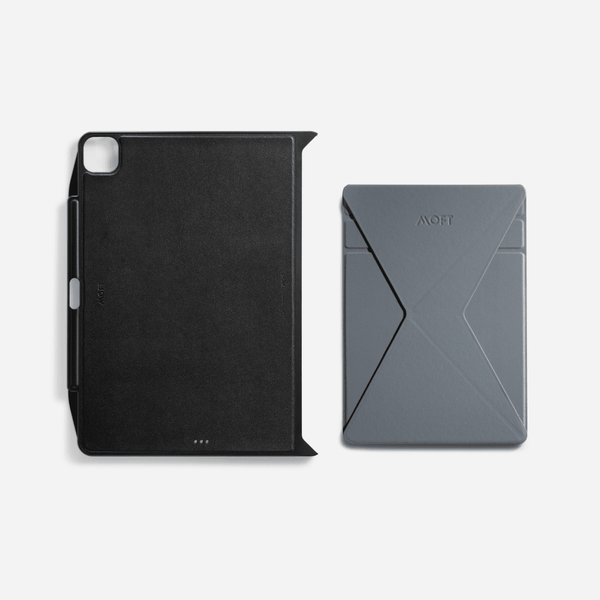
Our iPad cases are designed around one idea: doing more with less. Select designs include built-in stand functionality, making it easier to work, watch, read, sketch, or join calls without extra accessories. Adjustable angles support different tasks, from typing and browsing to hands-free viewing. The structure stays slim and portable, so your iPad remains easy to carry and comfortable to use anywhere. We use durable vegan leather that resists wear, maintains its texture, and holds up through daily use.

Frequently Asked Questions

How do you choose the right iPad case?

Choose an iPad case based on how you use your device most often. For work or studying, look for stand support, typing angles, or keyboard compatibility. For travel, choose something slim, lightweight, and protective. Material also matters, especially if you want a case that feels comfortable, resists wear, and keeps your iPad looking clean over time.

How do you clean an iPad case?

Remove your iPad before cleaning the case. Use a soft, slightly damp cloth with water or a mild soap solution, then gently wipe the surface. Avoid soaking the case or getting moisture near openings, magnets, or seams. For tougher marks, use a cotton swab carefully. Let the case dry fully before placing your iPad back inside.

How do you remove an iPad case?

To remove an iPad case, start from one corner and gently lift the edge away from the device. Work around the sides slowly instead of pulling too hard from one spot. For folio or magnetic cases, release the cover or attachment first. Avoid bending the iPad or forcing the case, especially if the fit is tight.

How do you attach a case to an iPad?

To attach a case to your iPad, align the camera, buttons, charging port, and edges first. Gently press the device into place, starting from one side or corner depending on the case style. Make sure all corners are secure and the buttons remain easy to use. A proper fit helps the case protect your iPad more effectively.

How do you connect an iPad to a keyboard case?

To connect an iPad to a keyboard case, turn on Bluetooth in your iPad settings and power on the keyboard. If needed, activate pairing mode on the keyboard. Then open Settings, go to Bluetooth, and select the keyboard from the available devices. Once connected, it should work for typing and may reconnect automatically next time.